
Passport size in inches
2 x 2 inches is the standard U.S. passport photo size.
Use the U.S. passport or 2x2 page when the document explicitly asks for this square format.
The most common passport-style photo formats are 2 x 2 inches in the United States and 35 x 45 mm for many passports, visas, and ID cards outside the U.S. The exact requirement still depends on the document and destination, so use this page to compare sizes before printing or submitting a photo online.
U.S. standard
2 x 2 in
Square exact-size format used by U.S. passport and closely related document flows.
Common international format
35 x 45 mm
Frequent size for passports, visas, and ID cards in Europe and many other jurisdictions.
Digital note
Pixels vary
Pixel requirements depend on the destination system. Print-size pixels are not the same as an online filing system's upload rules.
A physical size, a pixel size, and an online submission method are three different requirements. For example, the U.S. paper passport photo is 2 x 2 inches, the UK paper passport photo is 35 x 45 mm, and online systems publish their own file and capture rules. A mathematically correct pixel conversion is not automatically an accepted upload.
Some authorities also require an original unedited image, an approved photographer, or secure provider transfer. In those flows, selecting the right dimensions alone is not enough.
Official size sources
U.S. Department of State and UK government guidance. Last reviewed September 30, 2026.
These are the short answers most users need before choosing a preset. Use them to identify the format, then follow the document-specific page when the authority gives stricter rules.
2 x 2 inches is the standard U.S. passport photo size.
Use the U.S. passport or 2x2 page when the document explicitly asks for this square format.
2 x 2 inches is about 5.1 x 5.1 cm.
A common metric alternative is 3.5 x 4.5 cm, also written as 35 x 45 mm.
Pixels depend on the required DPI or upload system.
At 300 DPI, 2 x 2 inches is about 600 x 600 px and 35 x 45 mm is about 413 x 531 px.
2x2 is square; 35x45 is portrait.
They are not interchangeable. Choose the size requested by the exact document or country.
Choose the right preset in PhotoID, take the photo in the app, then review common quality issues before export.
Use this table to compare the formats users most often confuse. Treat it as a quick orientation layer, then open the exact requirement page when your document has country-specific rules.
| Format | Width | Height | Unit | Common use case |
|---|---|---|---|---|
| U.S. passport photo | 2 in | 2 in | inch | U.S. passport and closely related U.S. document flows |
| 2x2 inch photo | 50.8 mm | 50.8 mm | mm | Exact-size square format |
| 35x45 photo | 35 mm | 45 mm | mm | Common ID, visa, and passport format outside the U.S. |
| Digital upload | varies | varies | pixels | Depends on the online filing system and destination |
A passport photo can fail even when the visible crop looks right. The output has to match the workflow: paper printing, online upload, or app export.
| Workflow | What matters most | Avoid this mistake |
|---|---|---|
| Printing a physical photo | Physical size and printer scale | Fit-to-page, automatic resizing, and stretching a wrong aspect ratio |
| Uploading to an online form | Pixel dimensions, file size, background, and crop rules | Assuming a print-size image automatically satisfies the upload system |
| Using a passport photo app | The selected preset and final export type | Choosing a generic crop without matching the document requirement |
The best-known passport photo size is 2 x 2 inches. This is the exact U.S. passport format and one of the most common reasons users search for a general passport size guide.
Many countries use metric formats. The most common example is 35 x 45 mm, which is the same as 3.5 x 4.5 cm.
A print-size image at 300 DPI can translate to roughly 600 x 600 px for a 2x2 photo or about 413 x 531 px for 35x45 mm. Online submission systems may ask for something different.
These two sizes are not interchangeable. A 2x2 photo is square and strongly tied to U.S. document flows, while 35x45 is a portrait-oriented metric format common in many passport, visa, and identity systems outside the U.S.
2x2
2 x 2 inches, square, commonly used for U.S. passport and related flows.
35x45
35 x 45 mm, portrait layout, common in many European and international document systems.
Print workflows care about exact physical dimensions. Digital workflows often care more about file size, pixel dimensions, background, and upload compatibility. Keep the physical size and online file requirements separate when you prepare an image for a form.
Choose the correct preset, check common issues, and prepare a result for digital submission or print-ready output.
Start with the right preset so the app applies the correct size and framing logic.
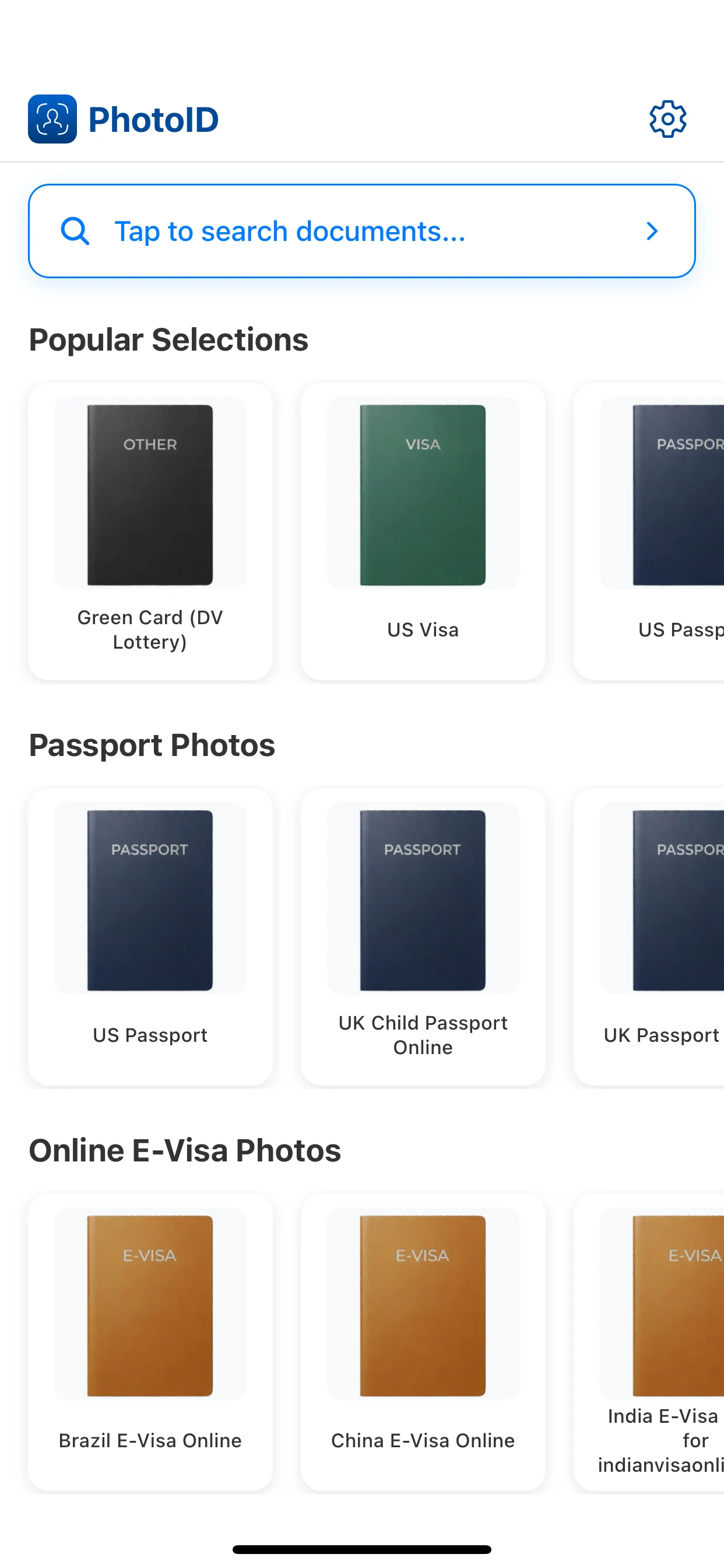
Crop and align the image to the target format before export.
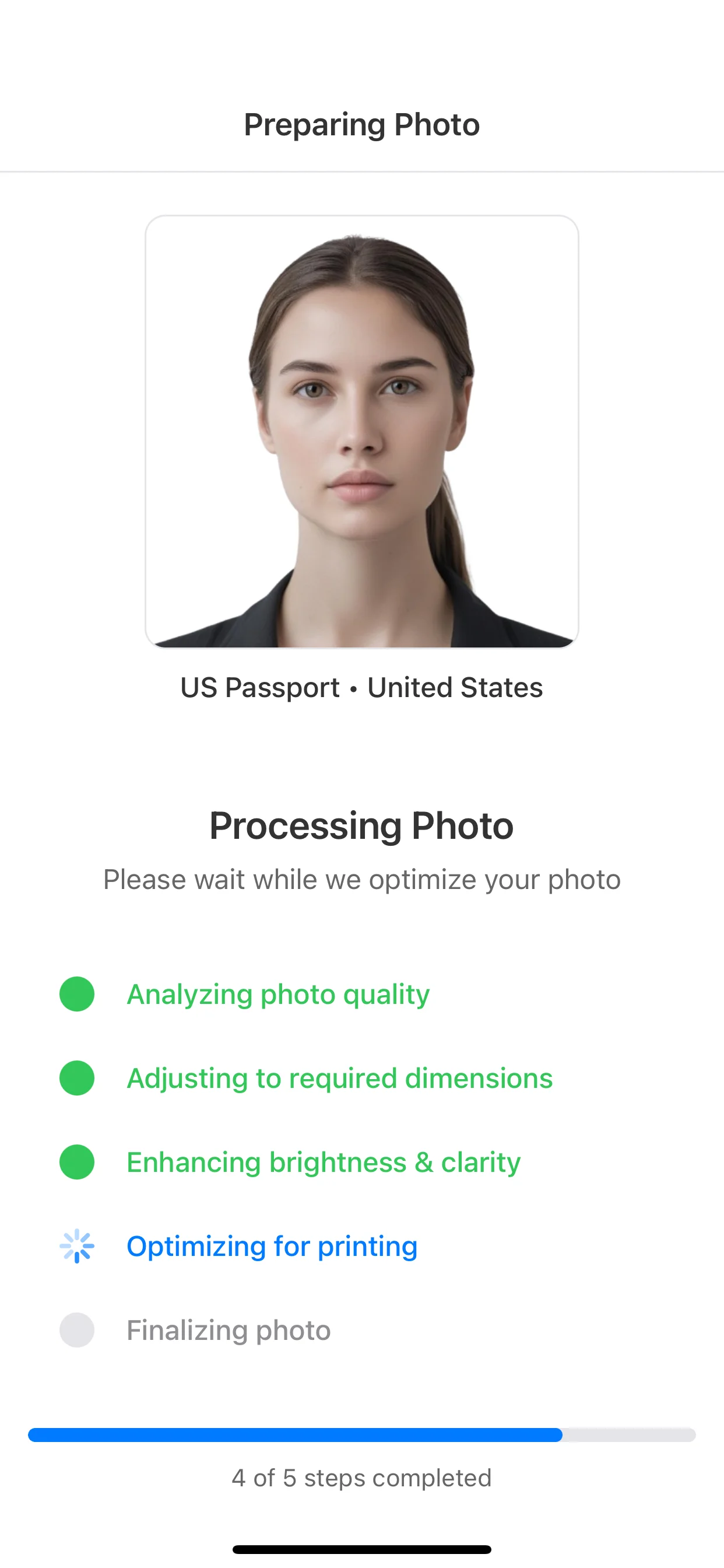
Review background, face position, lighting, and image quality before continuing.
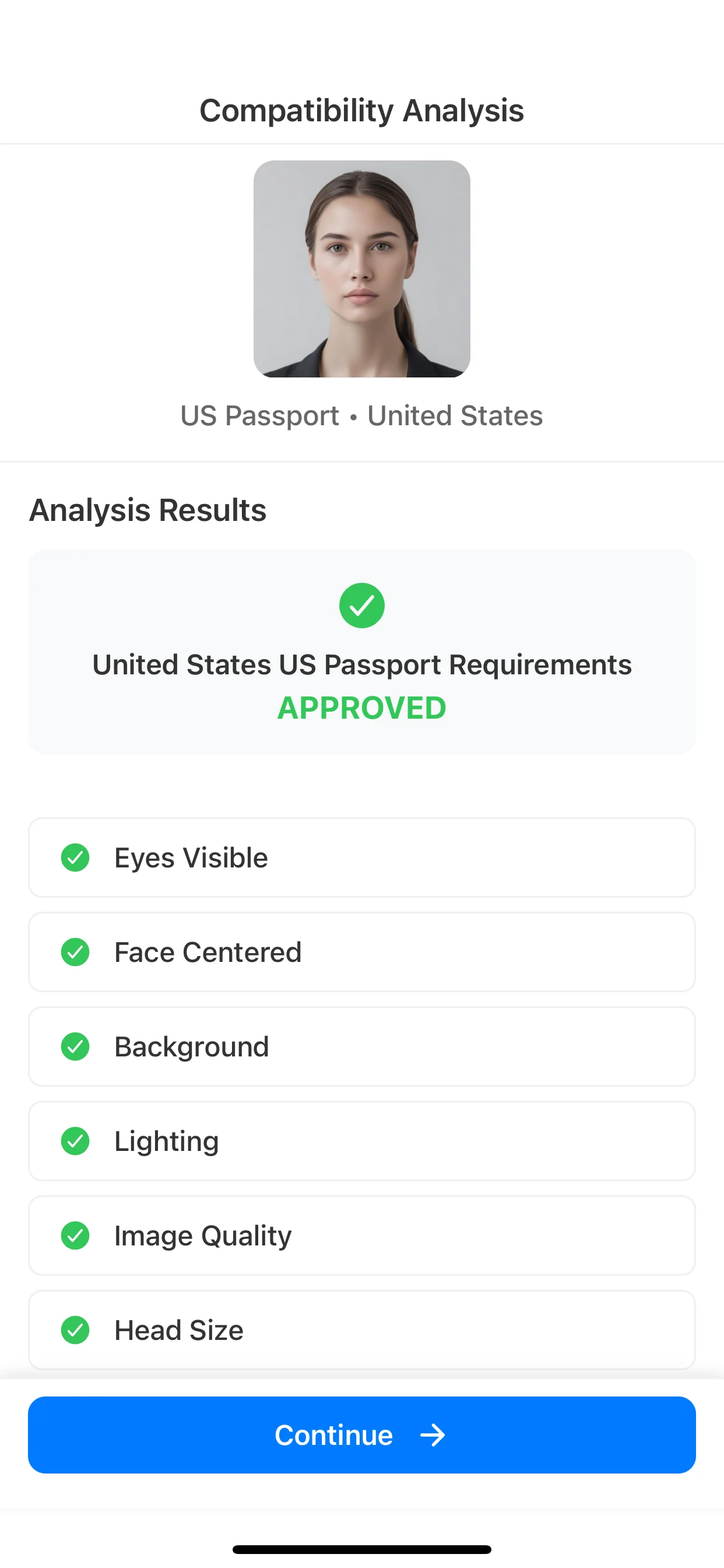
Use the final result only when the destination accepts a prepared file or print-ready sheet.
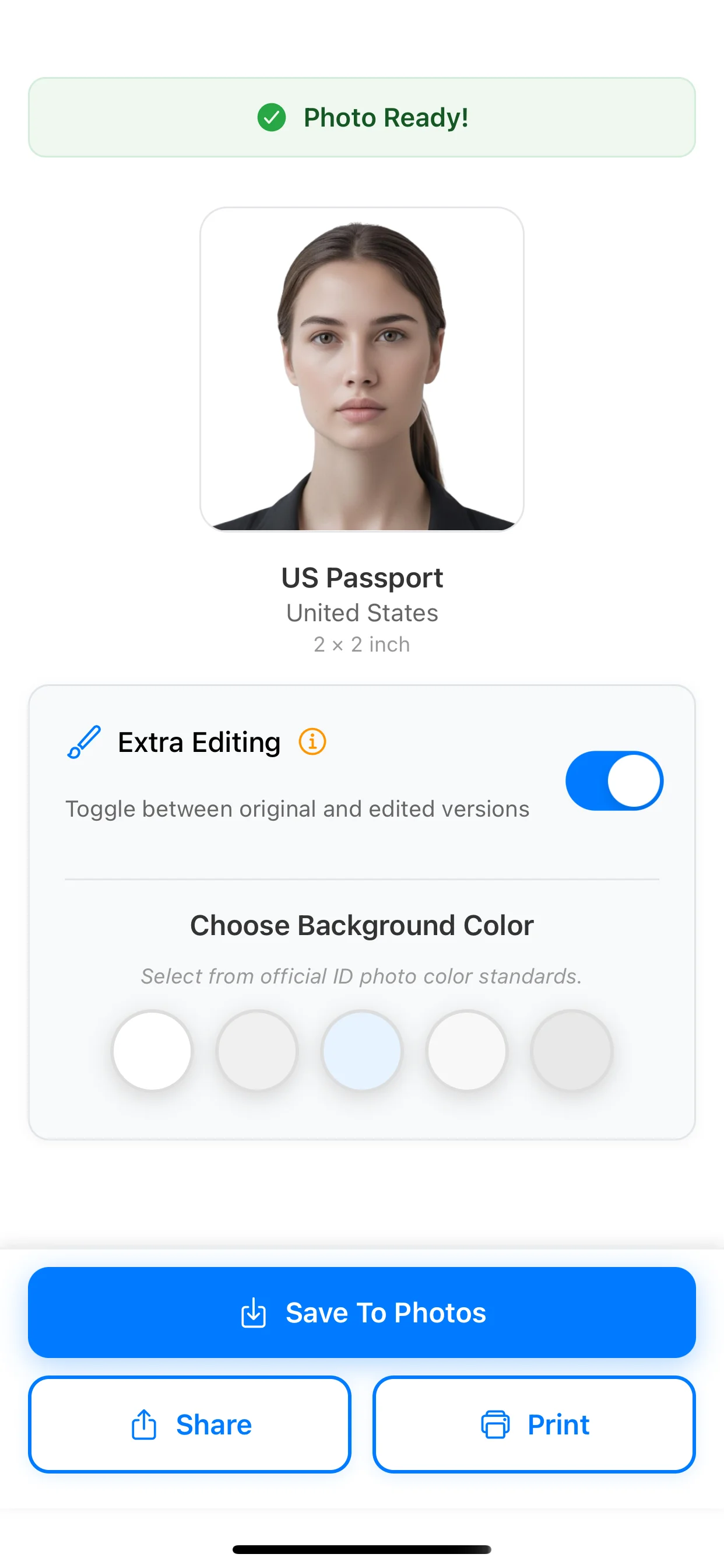
Choose your document below for its dimensions, framing guidance, and export checks.
2x2 inch photo
51 x 51 mm
Use when a document explicitly asks for the 2x2 inch format.
35x45 mm photo
3.5 x 4.5 cm
Common format for many European passports, visas, and ID cards.
U.S. passport photo requirements
2 x 2 inches
Document-specific rules, head size, background, and rejection risks.
U.S. visa photo requirements
2 x 2 inches
Use for visa-specific requirements rather than broad size intent.
Green card photo requirements
I-485 print vs DV upload
Separates Form I-485 printed photos from the Diversity Visa entry upload workflow.
How to take a passport photo at home
DIY capture guide
Use this when you need phone setup, lighting, background, and framing guidance before export.
What to wear for a passport photo
Clothing guide
Open this when your main question is shirt color, outfit contrast, or what not to wear.
In the United States, passport photos use the 2 x 2 inch format. Many ID and visa flows in Europe and other countries use 35 x 45 mm instead, so the exact document and country still matter.
The best-known passport size is 2 x 2 inches. Other document systems often use metric sizes such as 35 x 45 mm, which is about 1.38 x 1.77 inches.
A 2 x 2 inch photo is about 5.1 x 5.1 cm. A common metric passport or ID format is 3.5 x 4.5 cm.
There is no single universal pixel size for every passport photo. Pixel dimensions depend on the destination and whether you are preparing a print-size image or a digital upload for an online form.
No. The 2 x 2 inch standard is strongly associated with U.S. passport and related U.S. document flows. Many other countries and documents use 35 x 45 mm or other exact sizes.
2x2 is a square size measured in inches, while 35x45 is a portrait format measured in millimeters. They are used by different documents and cannot be treated as interchangeable.
Export a print-ready layout, print at 100% scale, and disable any fit-to-page or automatic resizing settings. Even a small printer scaling change can make a photo non-compliant.
Yes. PhotoID helps apply the correct preset, checks common issues like framing and background, and prepares a result for digital submission or print-ready output depending on the workflow.
Choose the right preset, run AI checks, and prepare an output only when the destination accepts a processed digital file or printed photo.
Available on iOS and Android